
Start with the physical stage plot
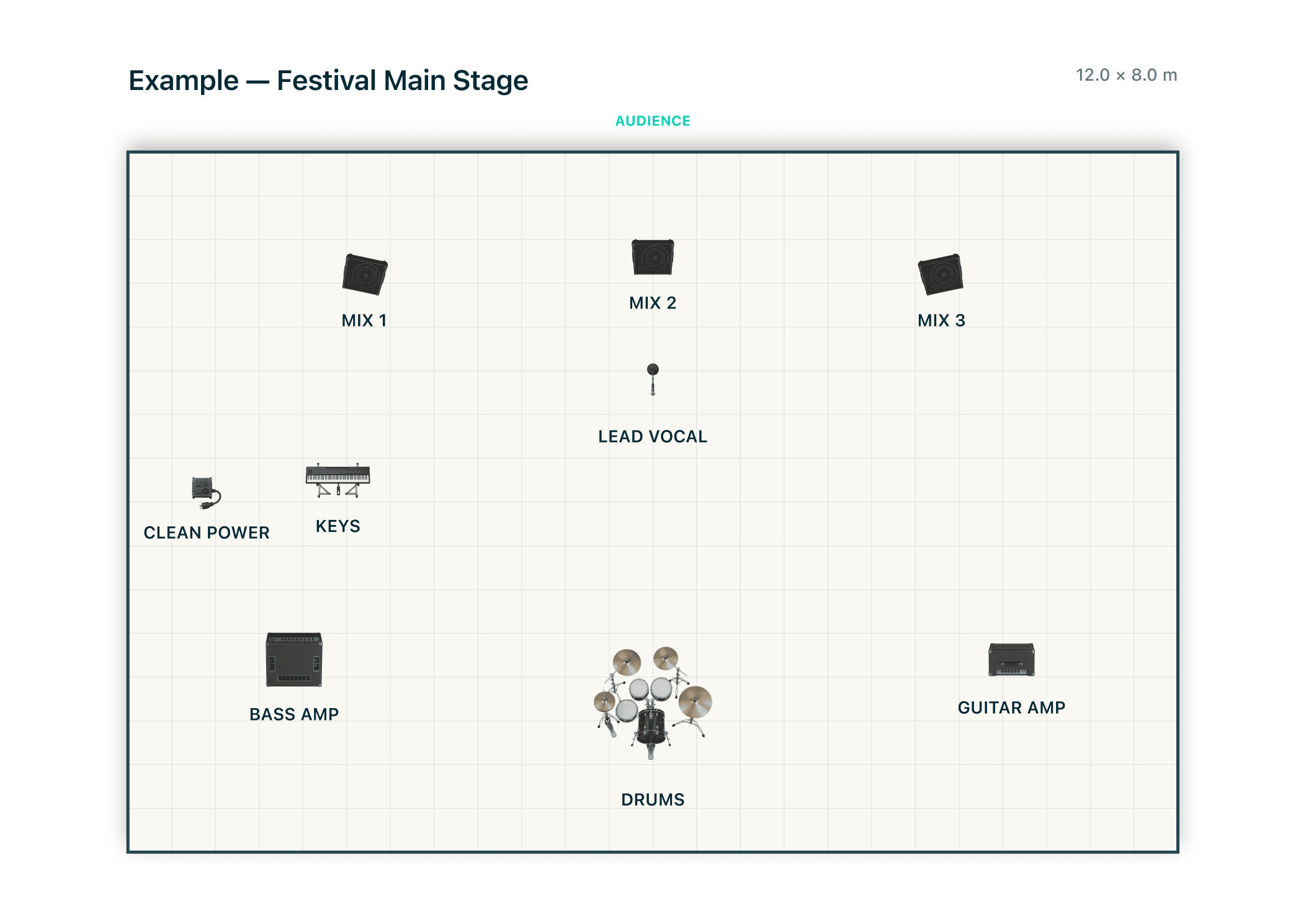
Set the audience edge and known dimensions, then arrange performers, instruments, microphones, monitors, backline, risers, power, and utilities with production-specific symbols. Add clear labels so the venue can understand positions and ownership without decoding a private shorthand.
The project stays local on Mac or Windows, including imported PDF, PNG and JPEG assets. With active access, day-to-day editing and export work offline. Internet is needed for your edition's trial activation, purchase or restoration steps; the download page explains the Apple and direct/Windows options.
Add the audio information behind the drawing
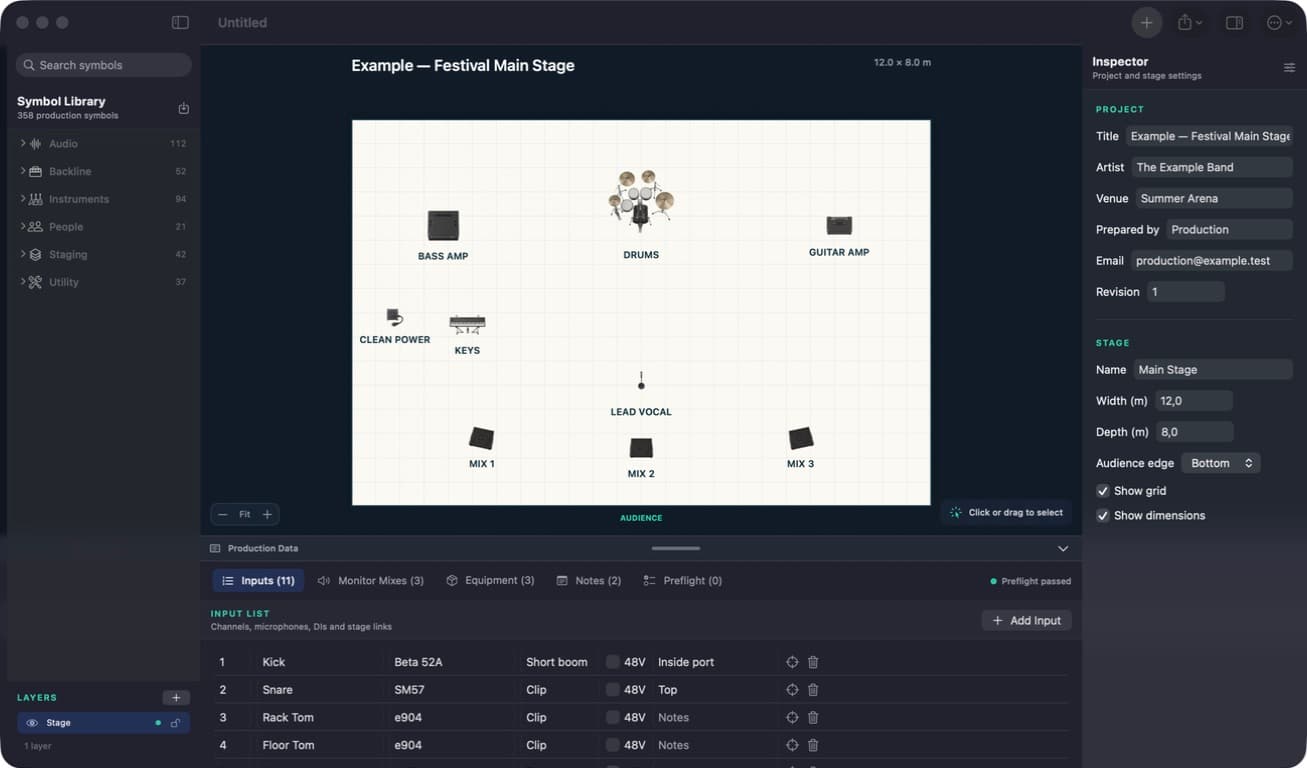
- Input channels, source names, microphones or DIs, stands, patching, and phantom-power notes
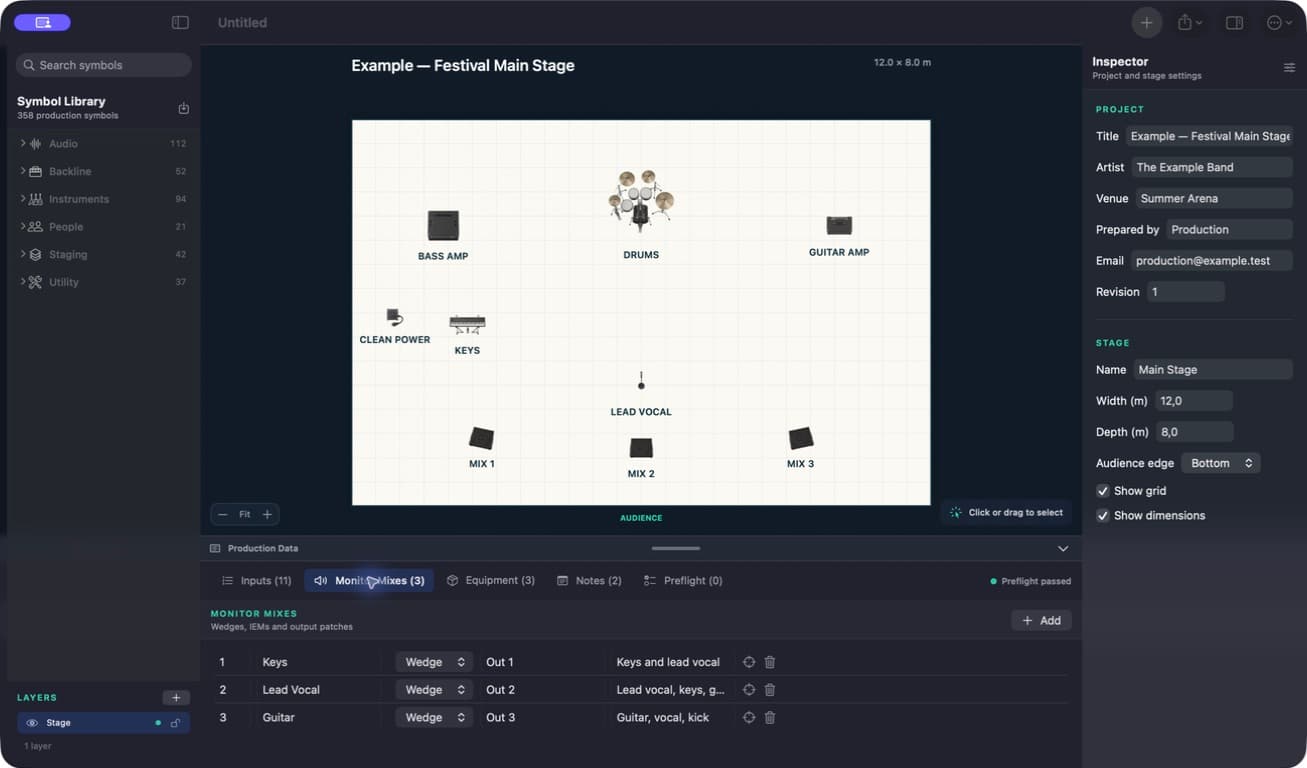
- Monitor mix numbers, performers, delivery methods, and mix notes
- Artist-supplied equipment and items requested from the venue
- Technical contact, show configuration, revision, and production notes
- Preflight checks for missing or contradictory project details
Export one consistent production pack
Generate vector and print-ready PDF pages from the visual plot and the production data present in the project. Create PNG or JPEG images for quick sharing and export input or monitor lists as CSV when another department needs structured data.
Because the pages come from one working document, source names, monitor numbers, equipment responsibilities, contacts, and revision details are easier to keep aligned before the advance is sent.
Use the production pack inside a wider technical rider
For a small act, the stage plot, channel list, monitor plan, equipment notes, and contacts may cover most of the useful technical advance. Larger touring productions can place the exported pack inside a wider rider assembled with their usual document tools.
Stage Plot Forge does not generate a complete hospitality rider, contract, schedule, lighting plot, video specification, or rigging plan. Keep those commercial, logistical, and specialist-department sections in separate pages or documents, reviewed by the people responsible for them.
Keep the scope clear for the receiving venue
- Covered in Stage Plot Forge: stage layout, inputs, monitor mixes, equipment requirements, contacts, revisions, notes, preflight, and production-pack export
- Kept in the wider rider: hospitality, commercial terms, detailed schedules, lighting, video, rigging, staffing, transport, and other department-specific requirements
- Cross-check every exported page after a lineup, channel, monitor, or equipment change
Technical rider scope // clear boundaries
What Stage Plot Forge covers in a technical rider.
Stage Plot Forge builds the stage-layout and live-production portion of a rider. It keeps the pages generated from that project consistent, while specialist or commercial rider sections remain separate when a show needs them.
Included in Stage Plot Forge
- Visual stage plot with dimensions, labels and audience edge
- Input list with microphone, DI, stand, 48 V and patch notes
- Monitor mixes and numbered wedge or IEM assignments
- Equipment requirements, production notes and project contacts
- Preflight checks plus PDF, image, CSV and print export
Add separately when required
- Detailed PA, console and venue-system specifications
- Specialist lighting, video, rigging and scenic drawings
- Staffing, access, schedule and changeover agreements
- Hospitality, transport, accommodation and commercial terms
- Any venue-specific safety or compliance documentation
Turn the next advance into a clear production pack.
Choose your Mac or Windows edition, see how to activate its 14-day trial, and compare one-time purchase options. Apple and website purchases are separate.
Download Stage Plot Forge