Rider ForgeStage Plot ForgeGet the app
Menu

From empty stage to ready to send.

Watch the complete Stage Plot Forge workflow in 32 seconds: layout, production data, monitor mixes, and export — all inside one native desktop project.

2D workflow · 32 seconds · Silent with on-screen text

The fictitious example shown ships with Stage Plot Forge. Open it from the Welcome window and test the complete workflow during the 14-day trial.

Take the next step into 3D.

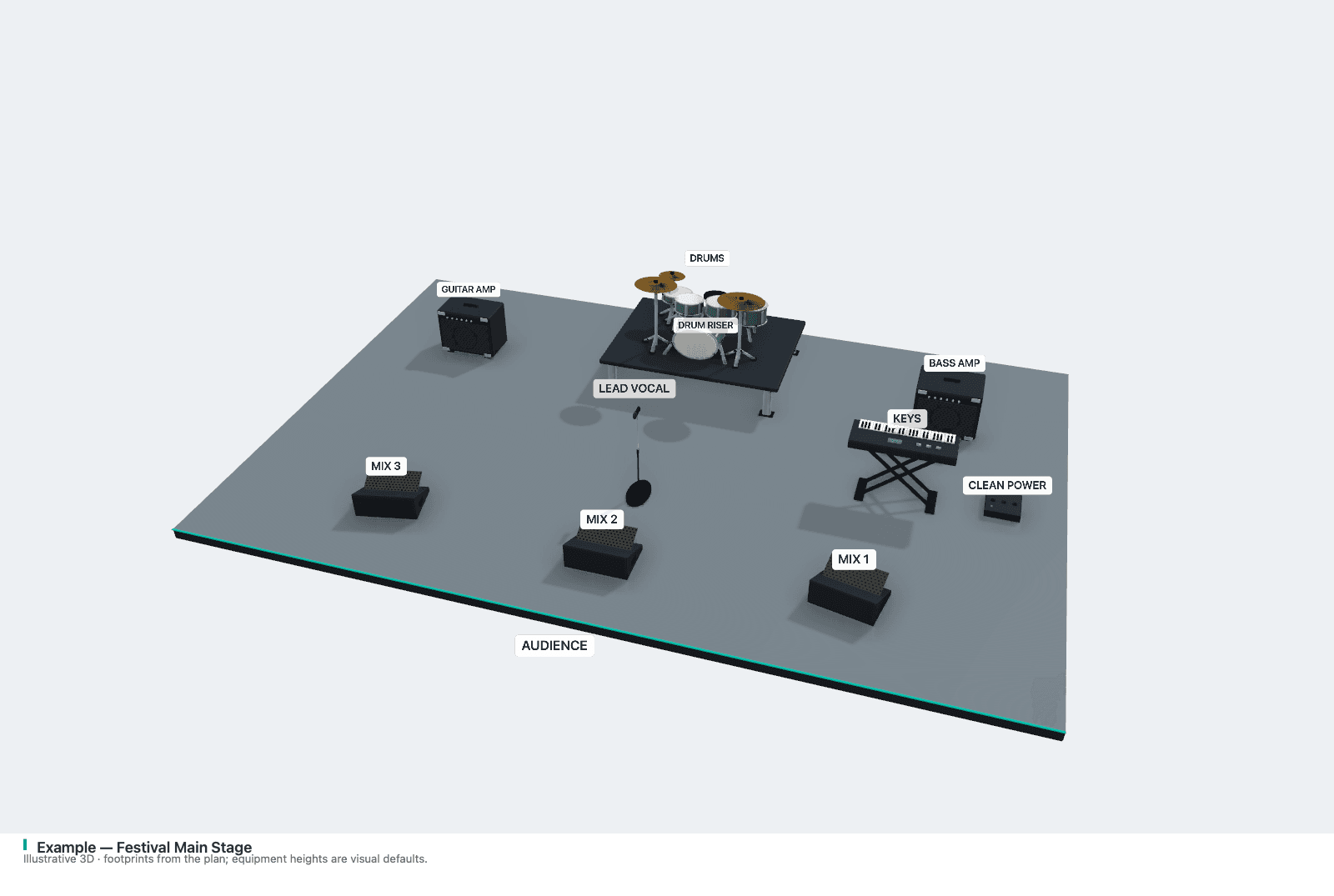
After the 2D workflow shown in the video, open 3D View inside the app. Rotate and zoom, then save a PNG or add a 3D presentation page to the PDF.
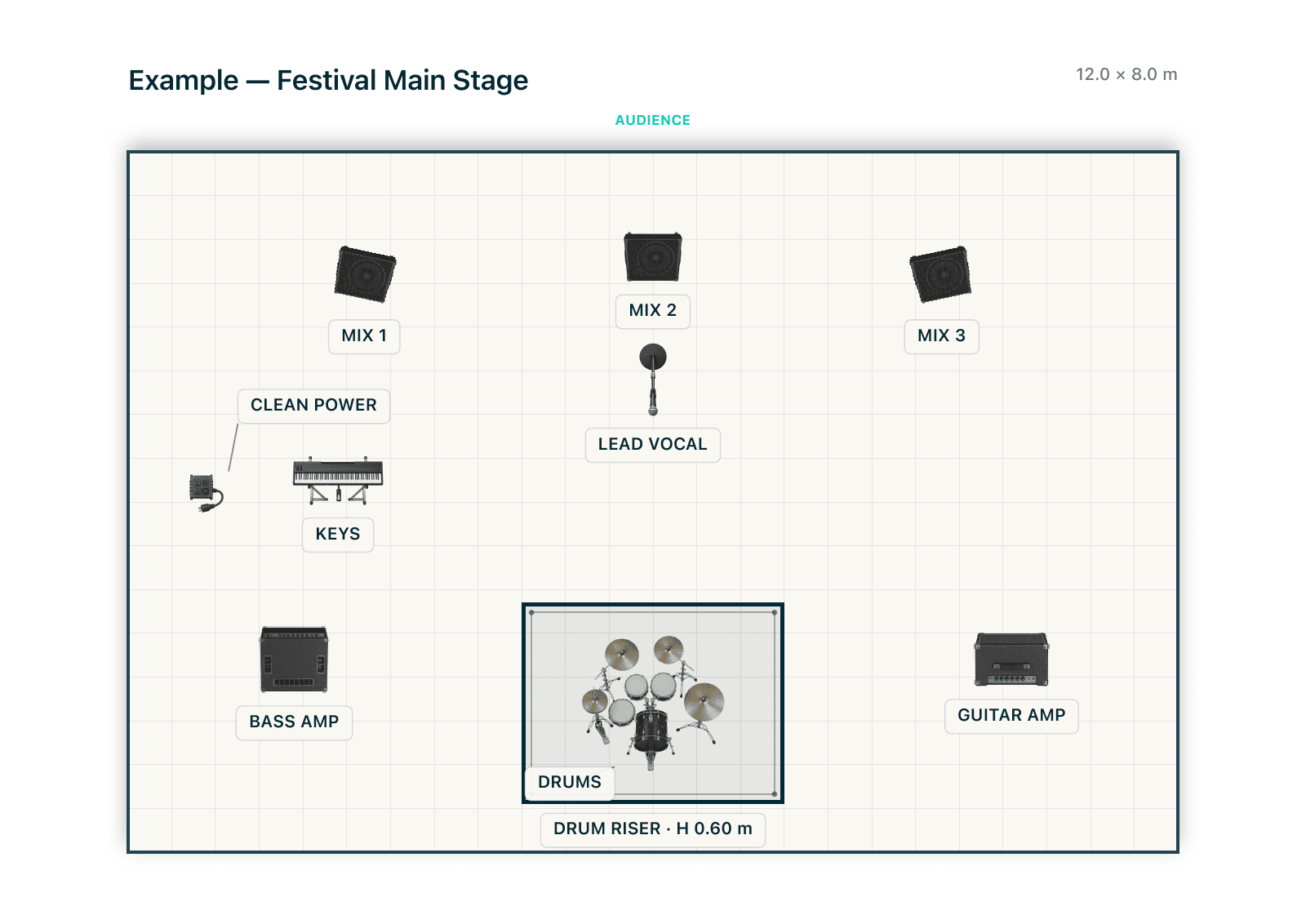
One project. Two views.
Actual 3D export of the Festival Main Stage example, with drums on a riser, keyboard, amplifiers and labelled monitors, viewed from the audience
Present the layout in perspective.Real app exports of one fictional show. Switch views here; rotate and zoom inside the desktop app.Open the example PDF with both views ↗

See the 3D workflow, exports and limits →

Try the real project.

Choose your Mac or Windows edition and follow its trial activation steps to explore every feature free for 14 days.

Download Stage Plot Forge