

Get the app from the Mac App Store
Stage Plot Forge is available on the Mac App Store for Apple silicon Macs with macOS 14 or later. Download it free, then open Account & License and choose Start Free 14-day Trial. Confirm the free transaction through Apple to try every feature. The trial does not renew or charge automatically.
Permanent Access is a one-time in-app purchase, €29 in Portugal. Prices vary by storefront; check the current price before purchasing. Use your Apple Account for activation, purchase and Restore Purchases. App updates arrive through the App Store.
Already purchased through the Stage Plot Forge website? Keep using the direct Mac edition and your Stage Plot Forge account. Its signed and notarized DMG and built-in updater remain available. Website purchases cannot be transferred to or restored in the Apple edition.
Use a focused native Mac workflow
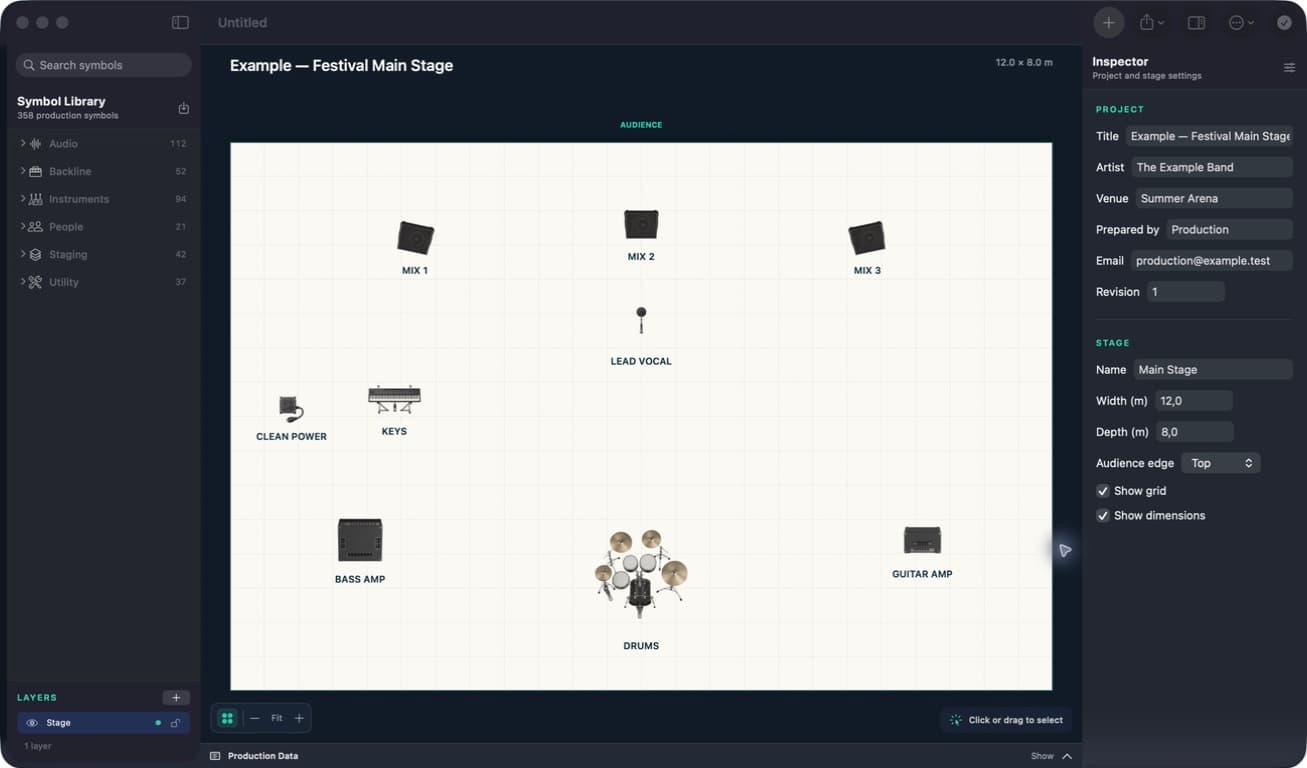
Work with familiar macOS document windows, keyboard shortcuts, drag-and-drop import and high-quality printing. Set the audience edge and stage dimensions, arrange the show on the canvas, then move between the plot, production tables, notes and preflight checks in the same project.
Present your existing stage plot in 3D
Open 3D View from your 2D layout, rotate and zoom, or choose Perspective, Audience or Top view. Save a PNG of the current view or use PDF + 3D to add a presentation page alongside the technical plan. Editing stays in 2D; equipment heights are illustrative defaults.
Build the plot and its production data together
- Arrange performers, instruments, microphones, monitors, backline, risers, power, and utilities
- Choose from 376 production symbols or import PDF, PNG, and JPEG artwork
- Create input lists with channel, source, microphone or DI, stand, patch, and phantom-power details
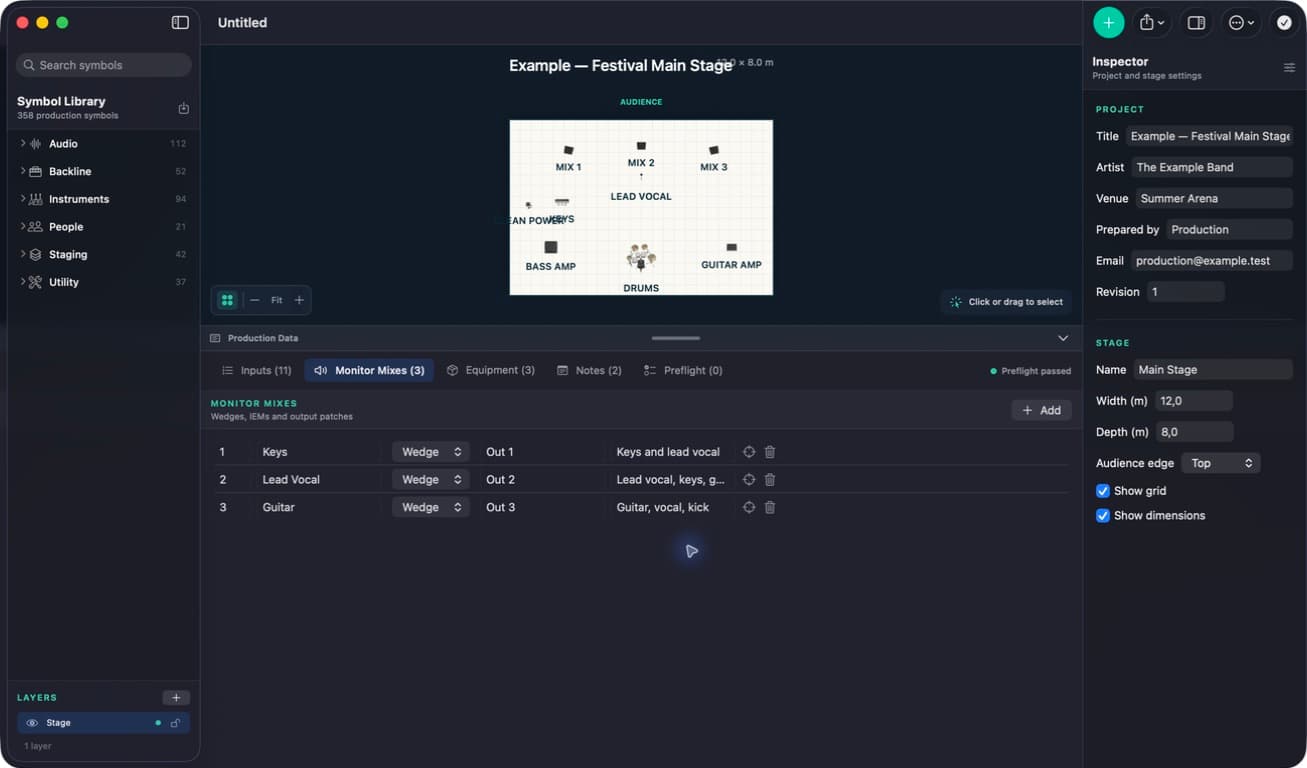
- Assign monitor mixes and record artist-supplied or venue-requested equipment
- Add contacts, revisions, notes, and preflight checks before export
Work offline at rehearsals and venues
The editable project, imported assets, production lists and exports stay on the Mac. With active trial or purchased access, day-to-day editing and export work locally. The Mac App Store edition needs internet for Apple trial activation, purchase and restoration; the direct edition uses internet for its account and entitlement operations.
Export a Mac stage plot as PDF, PNG, or JPEG
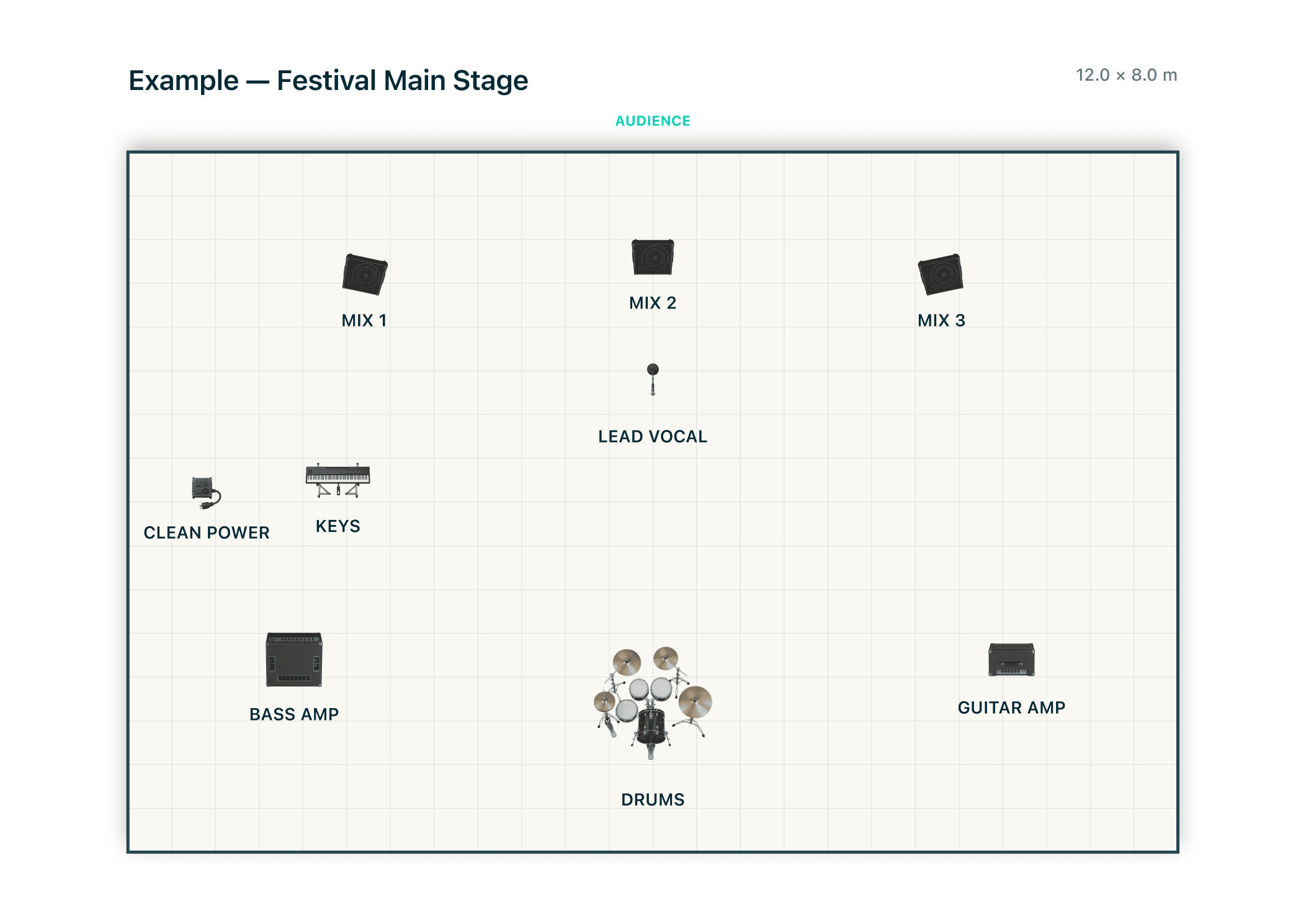
Export the visual stage plan as a vector PDF or create PNG and JPEG images for quick sharing. Include the input list and the production data already present in the project in a print-ready PDF pack, or export input and monitor data as CSV for another production workflow.
Because the pages come from one working document, the plotted sources, channel list, monitor assignments, contacts, and revision are easier to review as one current production pack.
Keep portable documents and a one-time licence
Stage Plot Forge has one-time purchase options with no recurring subscription. Apple purchases unlock the Mac App Store edition; the direct Mac and Windows editions share a separate Stage Plot Forge license. Project files use the same portable format across platforms. After the trial, existing projects remain openable, printable and exportable.
Real app workflow // macOS
From installation to a crew-ready production PDF.
These are real Stage Plot Forge project and export screens, not interface mock-ups. The native Mac app keeps the visual canvas, production data and export checks inside one document.
- 01Choose your Mac edition
Get Stage Plot Forge from the Mac App Store on Apple silicon with macOS 14 or later. Activate Start Free 14-day Trial through Apple in Account & License. Existing website customers can keep the direct Mac edition.
- 02Build one local project
Open the included example or start a local document, set the stage dimensions and place performers, audio, backline, staging, power and utility symbols.
- 03Check and export
Reconcile inputs and monitor mixes, run preflight checks, then create a vector and print-ready PDF, image exports or CSV lists.
Add a perspective view with 3D View. Rotate and zoom inside the app, then save a PNG or add a 3D presentation page to the PDF.
Inspect the exact four-page PDF shown in the gallery, or start a full-featured 14-day trial on macOS.
Mac edition questions
How do I start the Mac App Store trial?
Open Account & License, choose Start Free 14-day Trial and confirm the free transaction through Apple. An Apple Account and internet connection are required to activate it. It does not renew or charge automatically. After it ends, existing projects remain openable, printable and exportable.
Can I restore my website purchase in the Mac App Store edition?
No. Keep the direct Mac edition and sign in with the Stage Plot Forge account used for your website purchase. The direct download remains available. Apple and website purchases are separate; contact support before changing your installation if you are unsure which edition you have.
Does a Mac App Store purchase unlock Windows?
No. The Apple purchase unlocks the Mac App Store edition. Windows and the direct Mac edition share a separate Stage Plot Forge license purchased through Stripe. Project files can move between platforms, but purchases do not transfer between these channels.
Turn the next advance into a clear production pack.
Choose your Mac or Windows edition, see how to activate its 14-day trial, and compare one-time purchase options. Apple and website purchases are separate.
Download Stage Plot Forge