
Native iPad app · Coming soon
Your stage.
In your hands.
Take the plan from your desk to the stage. Touch to arrange it. See it in 3D. Send the crew what they need.
We’re preparing Stage Plot Forge for its iPad App Store release. Public download is not available yet.
Already own a website license?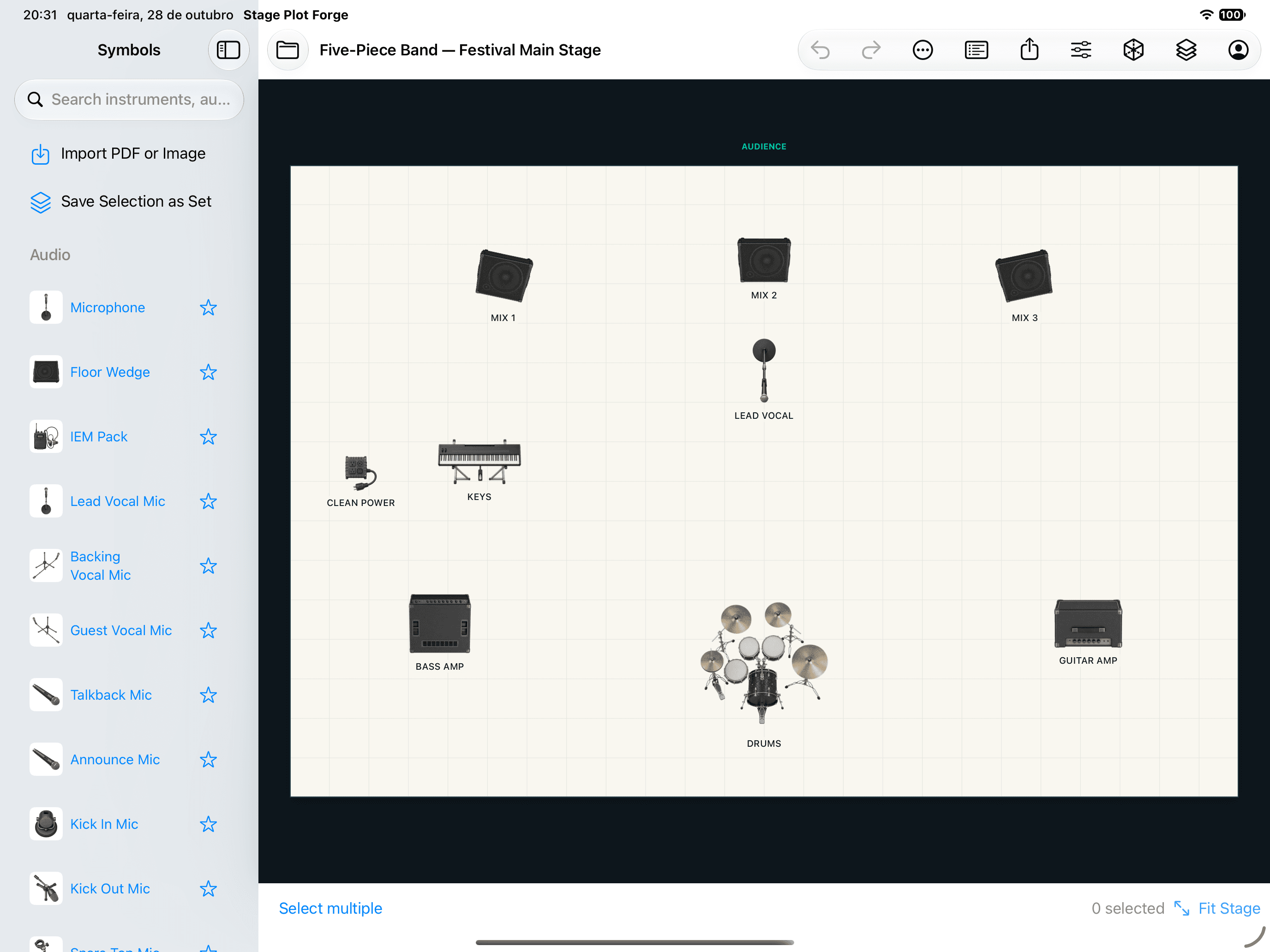
Less between you
and the plan.
The stage, inputs, monitor mixes and production notes travel together in one document.
Move it by touch.
Tap to select. Drag to place. Pinch to zoom and use two fingers to pan. Fine-tune the details in the Inspector.
See every angle.
Open your layout in 3D to explain the setup. Keep the 2D plan as the technical reference and add a 3D view to your presentation.
Send a clear handoff.
Export a PDF production pack, PNG or JPEG images, and input or monitor lists as CSV. Share the formats your crew already uses.
02 / Pick up the project
A welcome start.
A familiar return.
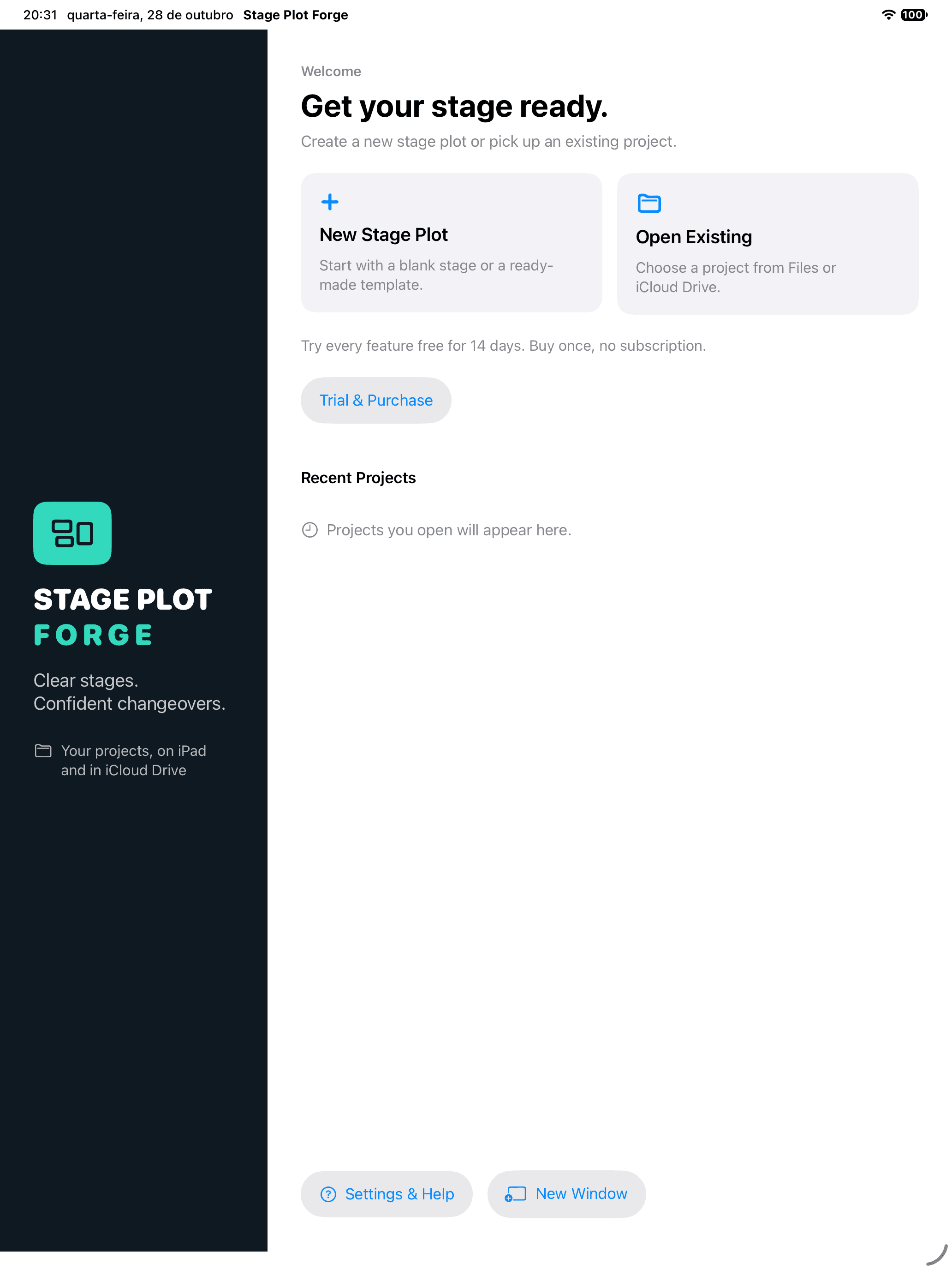
Create a new stage plot, open an existing file, or choose a recent project from the Welcome screen.
Close the app while working and it returns to that project when you reopen it, as long as the file is still accessible.
Mac and iPad. One project format.
Move your .stageplotforge files through Files or iCloud Drive and keep building on the other device.
03 / Your existing website license
Already yours.
Also on iPad.
Your Stage Plot Forge website lifetime license will unlock the iPad app. No second purchase.
When the app is released, sign in on iPad with the same email you use for your website account, then enter the code sent to that address.
This extends your existing website license. The direct Mac and Windows editions remain available, and the Mac App Store edition keeps its separate purchase and restoration process.
Find your existing editionBefore the next show
Good to know.
Mac and Windows are available now. iPad is coming soon.
Get the desktop appWhen can I download the iPad app?
We are preparing the native iPad app for its App Store release. It is not publicly available yet. This page will link to the App Store once the release is approved. The app requires iPadOS 18 or later.
Will my existing website lifetime license work on iPad?
Yes. When the iPad app is released, sign in with the email used for your Stage Plot Forge website account and verify the code sent to that address. Your active lifetime license unlocks the iPad app without a second purchase. This uses your Stage Plot Forge account, rather than Apple’s Restore Purchases button.
Can I move a project between Mac and iPad?
Yes. Both apps use the same .stageplotforge document format. Save your project in iCloud Drive or transfer the file, then open it on the other device. Finish saving on one device before editing on the other; this is a shared file format, not live collaborative editing.
Does it work without a connection at the venue?
Day-to-day editing and export run on your iPad once access is active. Internet is needed to sign in, verify a license, activate a trial, buy or restore access. Download any project stored in iCloud Drive to your device before going offline.